
Interactive media / Responsive 3D / Playback
Walter Newsroom V2
Directing a character-led broadcast across screens. An original host presents saved narration, captions and sourced story material from an orbital set.
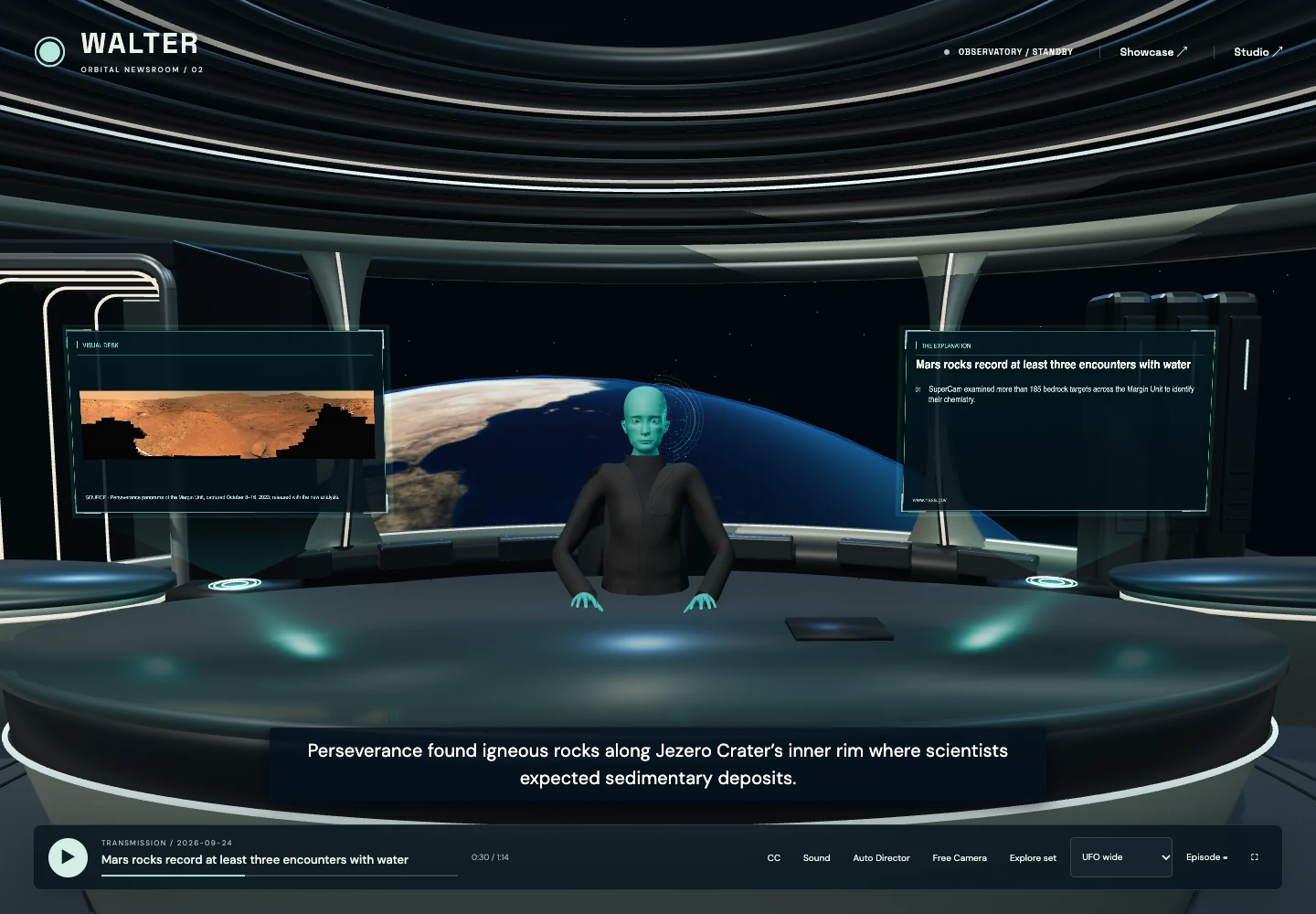
Try the public prototype
Press Play. Open Episode—inside View on a phone—to inspect chapters and sources. View also switches between the host, image and explanation. Playback uses saved audio; no microphone or new generation is needed.
01 / The brief
Make the host memorable.
Keep the story readable.
The idea was to make following a story feel like visiting Walter in his world, while keeping the reporting within reach. The character, story imagery, facts, captions and playback controls all compete for screen space.
The design problem is a shared 3D set across desktop and portrait screens, with recorded narration and changing story material. A compelling scene still has to work as an interface.
02 / Responsive direction
Recompose the shot for portrait.
A wide desktop composition can hold the host and both displays. Portrait gives the evidence its own shot: one view for the story image, another for its explanation. Captions and transport controls occupy separate space.
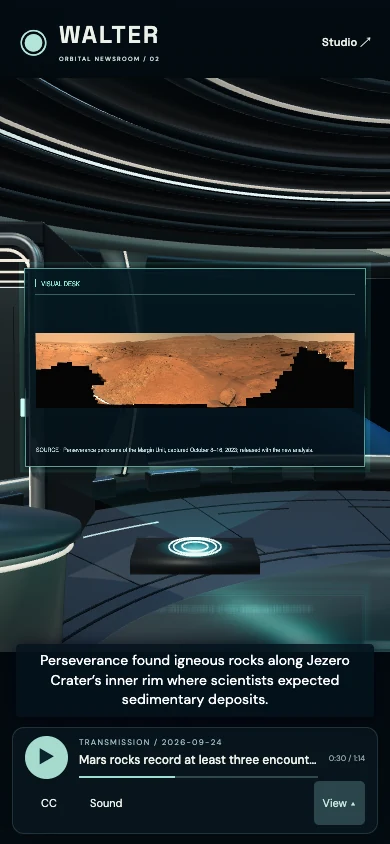
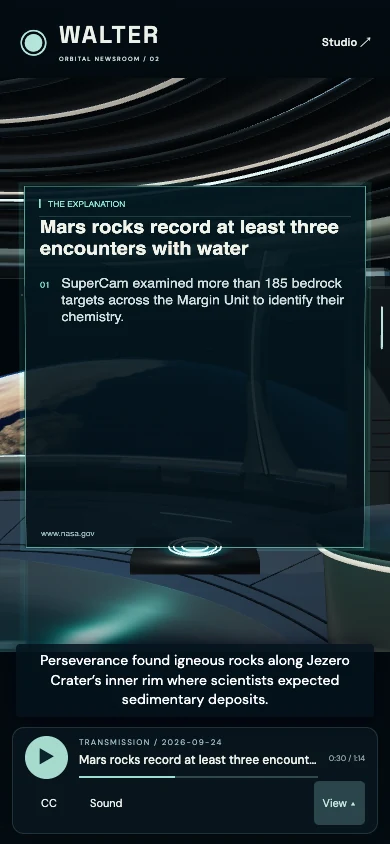
Actual browser captures, October 18, 2026. Both portrait views use the same chapter and playback position; View was changed manually. These are browser viewports, not physical-phone tests.
In the director source study, portraitFrame authors the camera position and fits its field of view to the panel bounds. editorialFrame can insert an explanation after imagery while preserving explicitly locked cues. The positions are specific to this set.
03 / Playback behavior
Let the saved voice set the time.
The browser can render frames at uneven intervals. During saved playback, the player reads audio.currentTime and uses that position for captions, active cues and the scene. Silent rehearsal uses a separate clock.
The source pauses and reports an error when saved audio cannot load. Play after the ending restarts the show; pausing partway through retains the section position. Those recovery paths matter as much as the opening shot.
Read the original playback controller ↗04 / Editorial workflow
Keep the reporting within reach.
The Episode drawer exposes chapter navigation, reporting links, a transcript and explanations. Preparation and publication use a separate Studio workflow; the public viewer plays the saved result.
- Review the research
- Shape the episode
- Prepare saved narration
- Publish a transmission
The portfolio study exercises public playback and inspects selected source. It does not enter Studio, generate narration or publish new reporting.
05 / Verification and limits
What the evidence supports.
- Three existing source tests passed: portrait panel bounds at three aspect ratios; explanation inserts that preserve locked cues; and restart/resume behavior.
- The public viewer was checked headlessly: saved audio advanced, and the loaded episode exposed seven chapters and five source links.
- The captures show a saved prototype: scene 2.3.0 and the September 24 transmission, inspected October 18. They are not fresh reporting or a measured audience outcome.
Physical-phone performance and audience usability remain unverified. This work demonstrates a browser prototype and focused implementation decisions, not a finished broadcast service.
Source and capture notes
Evidence record · Original framing tests · Original playback test
The director and playback downloads match the inspected local source. Displayed captures are taken from the public viewer; the selected code study explains a part of its implementation, not the entire renderer.